 Clutch
Always
Ready to
Record
Field recordings, transcripts, markers, metadata, exports, and production-ready deliverables — from a single workflow on iPhone, iPad, and iPad Pro.
ClutchRec turns recordings into deliverables.
Most apps stop at recording.
Everyone else hands you a file and walks away. The real work — transfer, rename, organize, export, transcribe — is still yours. ClutchRec does that part.
collapses it
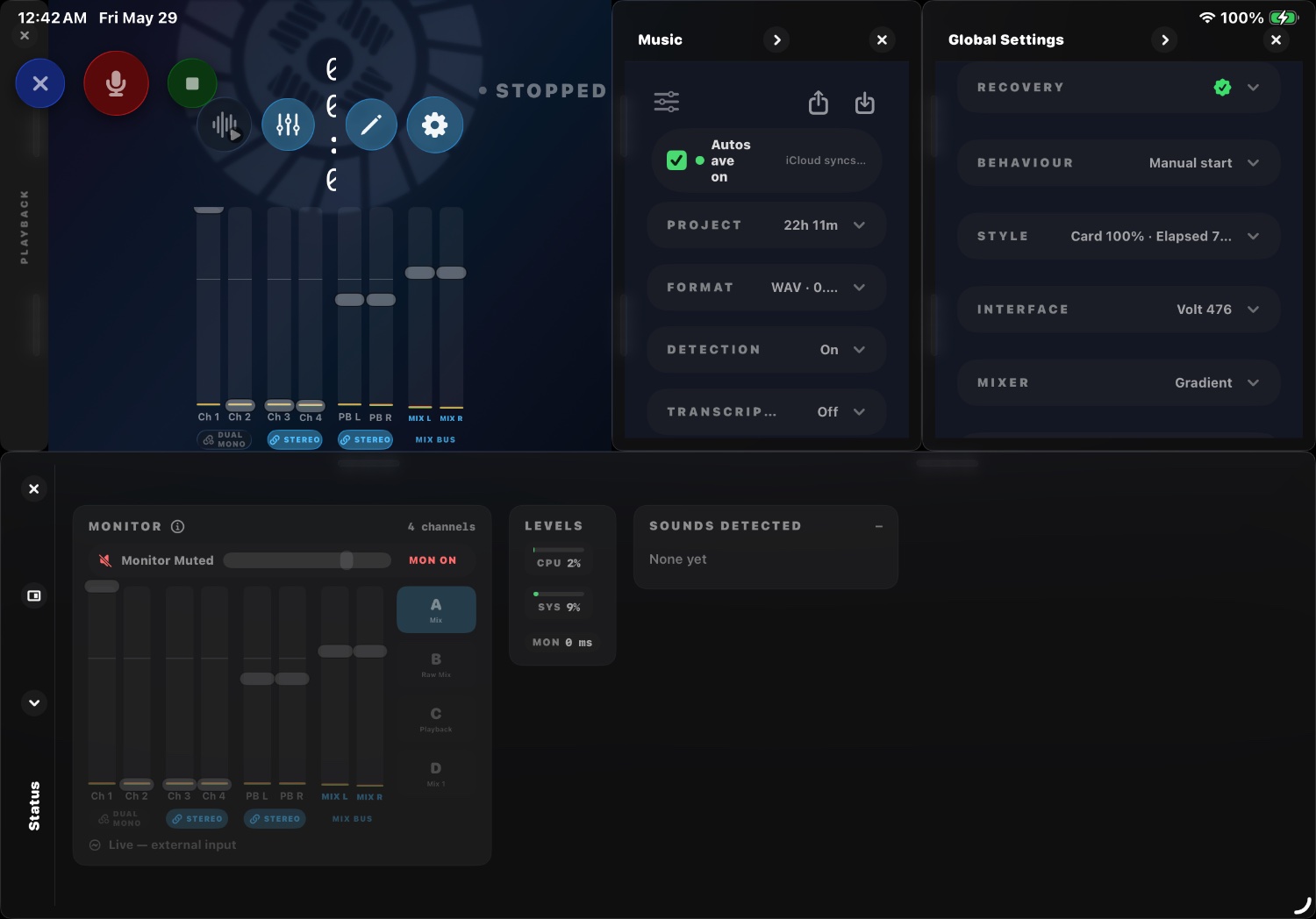
Organized folders, named tracks, embedded metadata, exports, and a client package — generated the moment you stop.
Built for people who deliver.
Production Sound
Multitrack, timecode-accurate capture with production-ready deliverables straight to the cutting room.
Recording & delivery →Podcasters & Creators
Fast-turnaround content with transcripts, subtitles, and creator packages ready to publish.
Creator workflow →Professional Audio
Integrates with existing workflows. A sketchpad for ideas, a rig for capturing shows — without the friction.
Pro features →Everything from mic to delivery.
Multitrack recording
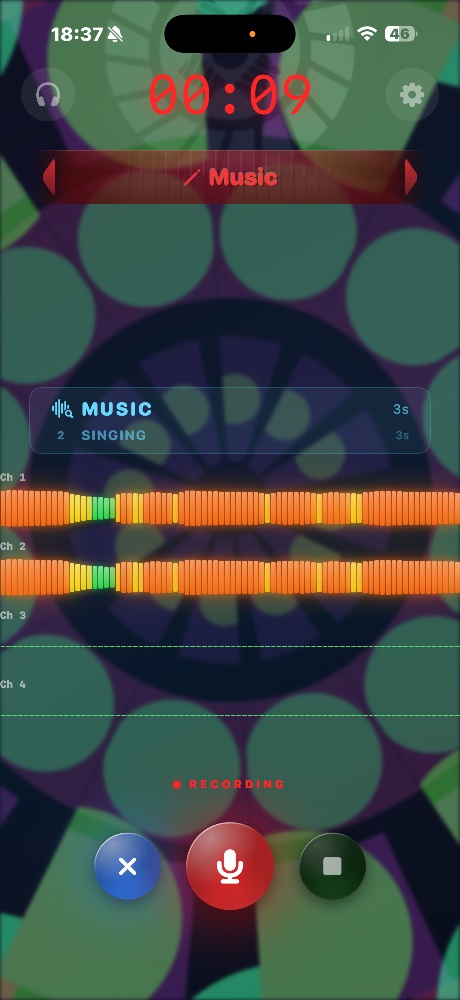
Built-in stereo or multichannel USB. Raw iso tracks, recorded clean — plus an optional delay-compensated mix.
Metadata capture
Timecode, GPS, scene/take, and named tracks — embedded in the files and written to sidecar reports.
Transcription, translation & subtitles
Live speech-to-text with timestamps, on-device translation, and subtitle exports for any editor.
Deliverable generation
Organized folders, automatic naming, multi-format exports, and client-ready delivery packages.
Creator exports
Podcast and social-ready packages — transcripts, clips, and captions without the post-production tax.
Sound detection
303 detectable classes drive markers, subtitles, track naming, and file logic — automatically.
"Every recorder I'd ever used stopped at the file — and left the real work to me. So we built the one that finishes the job."
I've spent my career on the other side of the glass: producing records and shooting films, running Clutch Sound — a fully featured Pro Tools studio with Dante — and capturing location sound on shoots that don't wait for anyone.
I've also built hardware. As CEO of KSK Electrics, I shipped the Psyren, a guitar pedal that rethought what a pedal could be. ClutchRec is where those two lives meet — a working pro's recorder, built by someone who still has to hand over the files at the end of the day.
That's the whole idea: record once, deliver everything. — Brian Liston
ClutchRec turns recordings into deliverables.
Try the beta free on TestFlight and record your first deliverable in minutes.